Content Creator’s Toolbox: Top 12 MS Office Productivity Plugins

Computer Productivity

Productivity has an altogether different meaning today than it did ten years ago, let alone five. It doesn’t mean just getting things done anymore — it means being able to get more complex things done in the same amount of time. This is especially true for content creators.

If you’re a blogger, freelance writer, analyst, presenter or online marketer, then creating content in MS Office is your bread and butter. It requires meeting tight deadlines and turning over projects quickly. Productivity-wise, it means your workflow and tools have to keep up.

One problem, though. The plugins that worked before won’t work effectively now. With the complexity of digital tasks increasing, you need a better list.

That’s why we put together a super collection of 12 productivity plugins for taking your work to the next level.

Note: Using any of these plugins requires an account with MS Office and in some cases an account with the plugin’s website, as well. To install add-ins, click on My Add-ins from the Insert menu. A window will appear that will display your options. Double-clicking an add-in will open it. Or you can click on the arrow next to the button and you can pick one of your recently-used add-ins from there.

Continue reading →

How to Repair PDFs

repair pdf

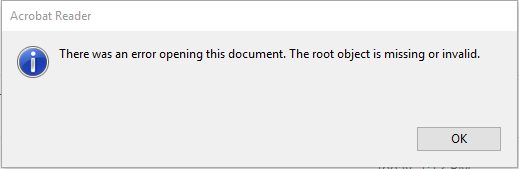
Digital files are always susceptible to corruption. PDF documents are no exception. When you try to access a broken or corrupted PDF, it won’t open in your PDF reader but will instead display an error message such as:

pdf opening error

PDF issues can be caused by various reasons such as partial downloading from the Web due to Internet connection failures, power failures and improper shutdowns, incorrect encoding, and virus attacks. PDF creation issues are another common reason for a PDF viewer to return an error message. You usually experience this when you’re trying to open a PDF file created in a non-Adobe environment in Acrobat Reader.

Thankfully, most PDFs will not be corrupted or broken beyond repair. There are some things your can try to repair your PDF files.

Read on to learn the most successful methods for getting access to you seemingly lost PDF data!

Continue reading →

How To Convert Any File To Excel

Analyzing data with Excel

In the world of digital file formats, conversion is always a necessity. There are times when you don’t always have the right format for a certain task or assignment.

But the good news is that you can always get your content formatted properly, whether you’re converting from YouTube to MP4, PNG to JPG or PDF to Excel.

There’s only one obstacle. When converting from one format to another, sometimes your content isn’t in a format from which your document converter can extract the data. And this is especially true with PDF converters. What happens when the tables you need aren’t within a PDF file?

You can have tabular data that’s in MS Word or PowerPoint, for example. After all, there’s no rule on where you’ll find your data!

Naturally, the most common solution people have is to convert that file to a PDF, so that they can convert that resulting PDF to the format they need. But that extra step that wastes so much time, and even more so if you don’t have a tool that can create PDFs on hand. You have to search online or even download free software to create a PDF first.

Believe it or not, there’s a shortcut that allows you to convert non-PDF content to Excel. 

Continue reading →

Top 5 Data Journalism Myths Busted

data journalism myths busted

A good journalist is a master storyteller. Telling compelling stories with data has become a new challenge and a growing trend in journalism today. The Internet has unlocked the world of information and made a huge amount of data available. Data journalists dig through all that data and transform it into valuable content.

There is a continuous and growing demand for data journalists, but many traditional journalists still shy away from it. Data journalism is kind of shrouded in mystery due to many myths about who can be a data journalist and which skills are required. We’ll delve into the most common myths about data journalism and unfold reality to help you better understand it and be less intimidated.

Myth #1: Data journalists must have a knack for math

“I am in journalism because I don’t have a knack for math” is the first thing most journalists and journalism students will say about data journalism. However, just because data-driven journalism involves numbers, it is not all about numbers. And it  certainly is not required that you be a math wizard to create stories with data.

As a matter of fact, not all data-driven stories have to rely on numbers. They can actually be based on something a lot more palatable, like wine, for example. If you don’t believe it, check out this interactive timeline that shows us how wine colonized the world.  

Continue reading →

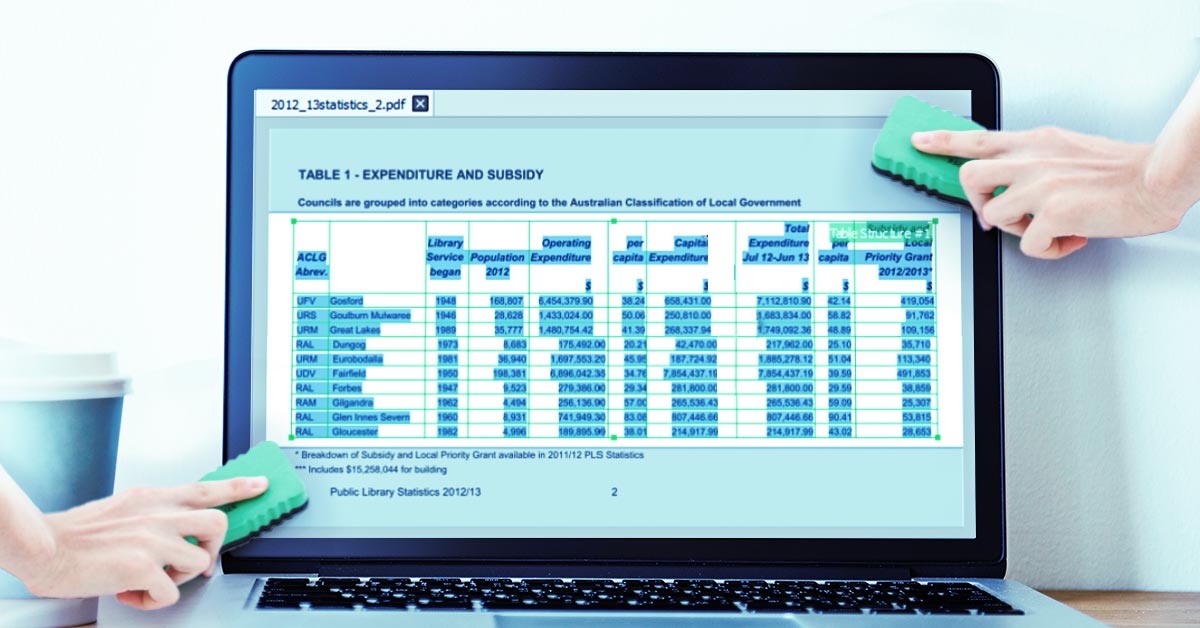
How to Get Rid of Headers and Footers in PDF Tables

Managing Headers and Footers in PDF Tables

Being able to convert a PDF document without issue is rare if you don’t have the right tools. When performing full document conversions, for instance, the idea is to get everything converted in one sitting. More often than not though, those PDFs can contain long PDF tables.

Now, you can have as many PDF tools as you want that will handle a full document conversion without choking on it, but what they won’t do is give you the ability to deal with the smaller details.

What are we talking about? Headers and footers.

These headers and footers unfortunately get included with full document conversions. Consequently, when you convert the whole document, your converted results get cluttered with them popping up in between the tabular data you want. This means some post-conversion clean up in Microsoft Excel, which we all know is a waste of time.

Continue reading →