If you aren’t a member of our Software Advantage Plan (SAP) yet, now’s the time to sign up! We just released our latest special build: Able2Extract Professional 11.2!
… And all SAP members get free access to it.
If that isn’t enough to convince you, our premium customer support subscription package gives every member VIP treatment and special perks that let you get the best of Able2Extract, whether it be front of the line customer support, special volume discounts or access to special builds, like this one.
Working with big datasets is never an easy task. Tons of spreadsheet data divided into rows and columns can be frustrating and stressful so anything to boost our productivity is more than welcome. And this is where companies like Google step in.
From time to time, Google releases a new update, becoming smarter and more practical than before. This happened just recently, when Google released an update for its spreadsheet application, Sheets, making it possible to visualize spreadsheet data even more easily than before.
If you haven’t explored this updated feature yet, here’s a closer look at how and why you should, especially if you work with data.
It’s been over a week since we launched Able2Extract Professional 11 and we hope you’re all enjoying the latest features and the boost in productivity.
As you may have noticed during this year’s launch, Able2Extract Professional is the only tool we’ve upgraded. And no, we didn’t forget to upgrade the Standard version. In fact, we decided that, in order to give you the best in PDF conversion technology, we’re now focusing solely on Able2Extract Professional.
The Standard version has been an Investintech staple from the very early days, but we believe that providing you with one tool is, by far, a more effective solution to getting your PDF tasks done.
In other words, this change means giving you a product that allows you to do every PDF task you need without having to resort to another tool. As a result, you get a complete out-of-the-box PDF user experience.
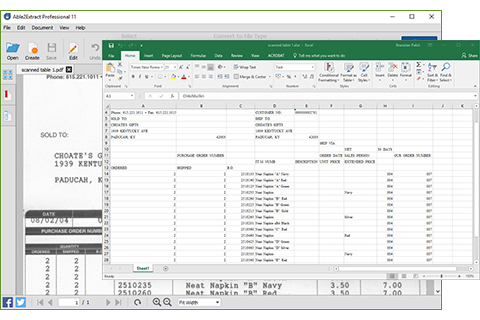
On top of PDF editing, annotation and redaction, as well as upgraded PDF security features, you now get the added bonus of scanned PDF conversion. You can integrate hard copy documents into your digital workflow seamlessly.
There are a few details to note with this change, though.
Save More With Discounted Upgrades
As a licensed user of a prior version, you are entitled to a significantly discounted upgrade to our all-new Able2Extract Professional 11.
Upgrades from all Able2Extract Standard versions to Able2Extract Professional 11 is only $49.50. You don’t need to pay full price to get the new version and the latest features.
Get More From Technical And Customer Support
In addition, we encourage everyone to join our Software Advantage Plan for complete, uninterrupted and upgraded support when making the transition. It costs only $39.95 for a yearly subscription for front-of-the-line support on your most pressing issues and questions.
Plus, there are other VIP member perks to enjoy:
Free access to all minor products updates and major upgrade
Exclusive access to new, unreleased product builds
A personalized web portal
Special volume discounts
This is a major change, but it’s a positive one. The goal: to make your Investintech experience better than ever. If you haven’t checked out Able2Extract Professional 11 yet, you can try it free for 7-days.
Get ready to see some drastic changes in how you work with PDF documents because we just released Able2Extract Professional 11 and this version is big on boosting your PDF productivity.
This latest version is aimed at making editing PDFs a simple task. Here’s a look at how the new and improved Able2Extract Professional can make PDF tasks go faster, smoother and easier.
Annotate PDF Pages While Viewing Them
If you review PDFs on a daily basis, you’ll love this new addition. You can now freely annotate your PDF documents as you go. This feature lets you mark up PDF text as you would with any hard copy document.
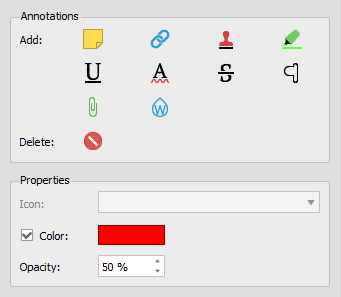
You can digitally add new sticky notes, links, stamps, highlights, underlines, squiggly lines, strikeouts, carets, attachments and watermarks:
Whether you’re performing PDF research or adding comments on a collaborative document, you can ensure that your notes and markup stay on the page.
In addition, if you’re working with PDFs that are being sent around to team members, you can interact, review and post replies to any existing PDF comments.
Permanently Delete Sensitive PDF Data
While PDF files are meant to make your content universally accessible, there are times when you need to keep the information in them confidential.
Now instead of converting the original PDF, deleting that information and then generating another PDF from the edited content, you can simply do it right in the interface.
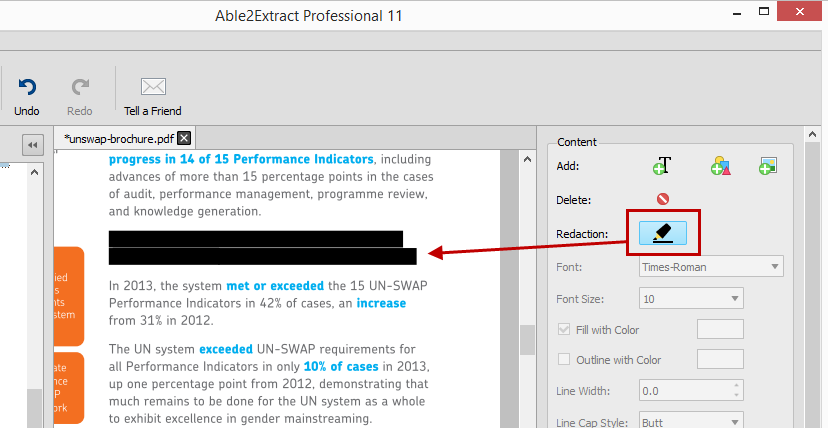
The new Redaction tool can delete any sensitive page content. And much like the content selection options, Able2Extract Professional 11 allows you to selectively eliminate either lines or entire pages from your PDF documents before you send them out.
And the best part? The deleted content remains deleted.
Create Better, Richer PDF Content
Ever deal with PDF content you wish you could improve with an small image or visual? By adding eye catching elements to marketing content, learning material or company brochures you can achieve your goals more effectively. It may sound like a tedious task, but it isn’t.
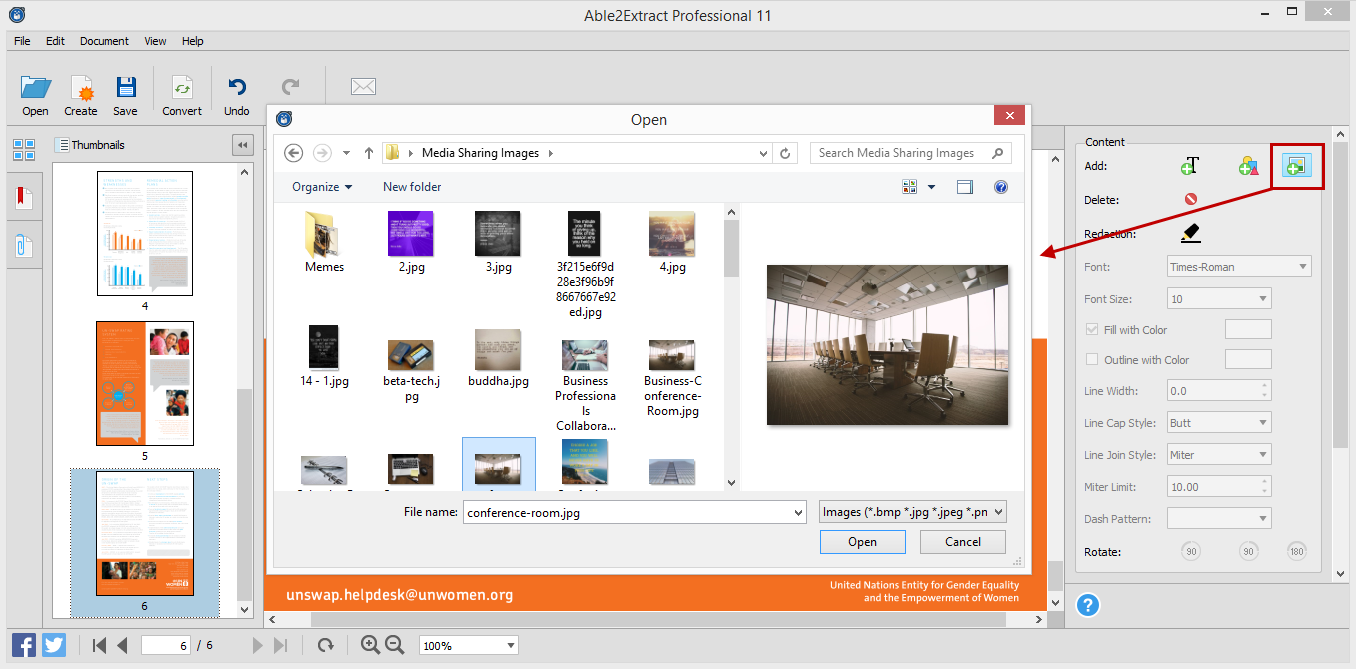
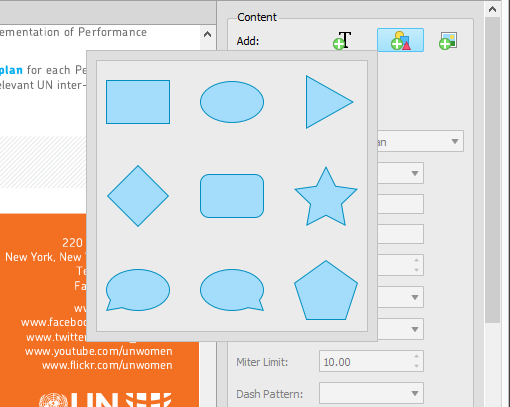
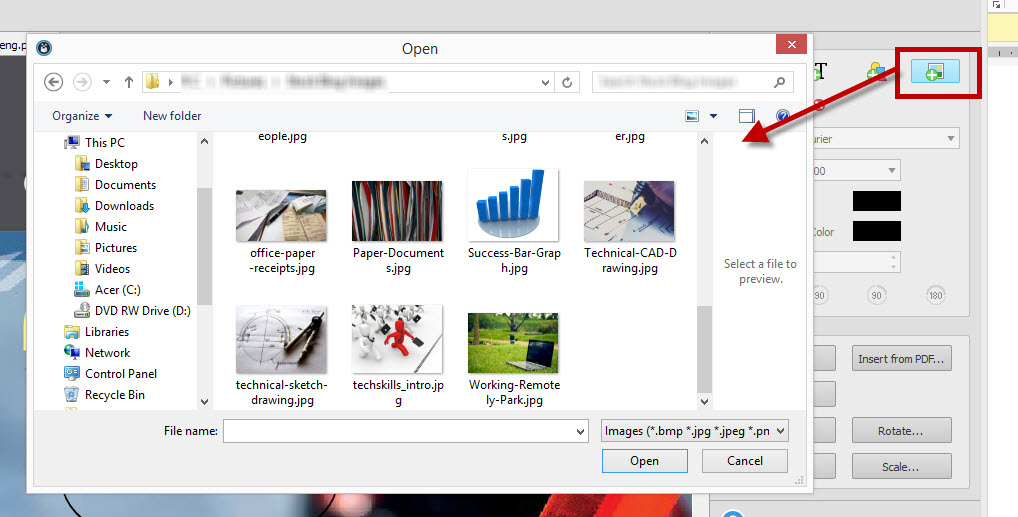
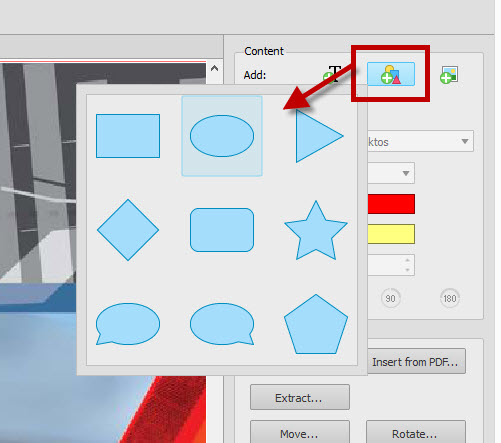
The new Able2Extract Professional will let you instantly add images, text or vector graphics directly into the PDF itself. Add existing .bmp, .jpeg, .png, .gif and .tiff images right onto your PDF pages. Or select from 9 vector shapes to insert onto the displayed page:
You can improve the content of your PDF documents on the spot through the side editing panel.
Modify Your PDF Content
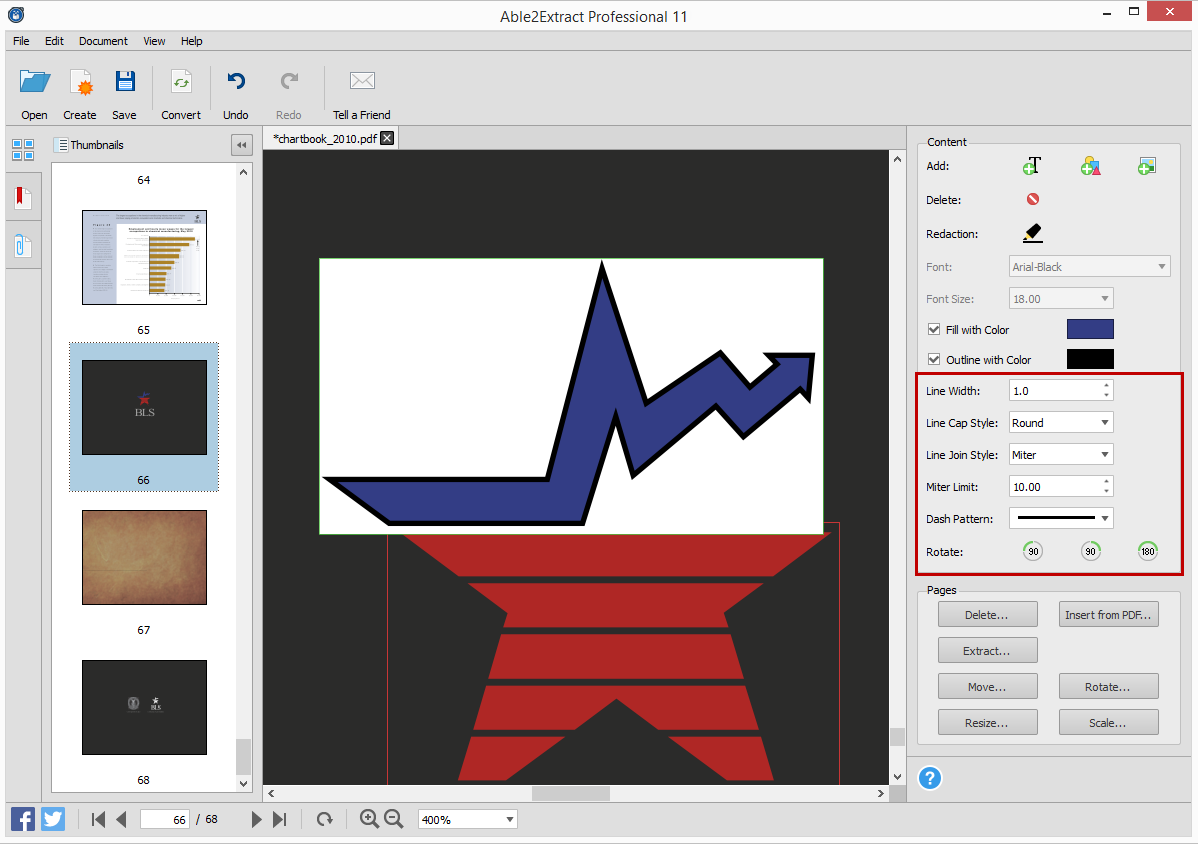
Get flexible editing control over your PDF content. Able2Extract Professional 11 allows for detailed modifications with theimproved PDF content editor. It lets you specify fine page content object drawing properties, such as line dash style, line cap style, line join style, and miter limit.
Refining diagrams, professional headers and text for a more polished look can be done without an external graphic design software.
You get the ability to customize your PDF text and shapes by filling them with color and even customize their outline. You can even rotate PDF text, shapes and images by 90° and 180° with the newly added “Rotate” buttons. Experience a complete content editing experience right within your PDF.
Increase Your AutoCAD Productivity
Able2Extract Professional 11 is now an even more powerful addition to AutoCAD toolboxes everywhere. Because AutoCAD PDFs contain highly advanced content, not many PDF programs can deal with them head on. Well, with this latest version you can increase your PDF-AutoCAD productivity.
Able2Extract Professioanl 11 now allows CAD professionas to convert multiple PDFs to AutoCAD through the Batch conversion feature and transfer scanned AutoCAD PDF content into other CAD applications. The software can be integrated into your design workflow seamlessly.
Secure Important PDF Document Information
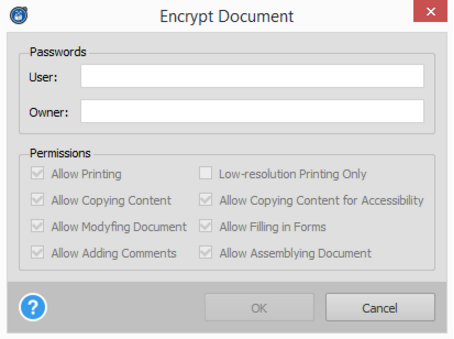
On top of the existing security features in Able2Extract Professional you can encrypt and decrypt existing PDF documents. So if you come across a secured PDF that needs a quick tweak or has a line or two that needs to be redacted, you can make your changes, decrypt the PDF and get it sent around.
Able2Extract Professional 11 allows you to set passwords and file permissions, allowing you to customize the security on existing PDF documents on the spot.
You can get Able2Extract Professional 11 and all the above features for $149.95 on the latest Windows, Mac and Linux (Fedora and Ubuntu) systems. If you still aren’t convinced, you can see a demo of latest version in action for yourself:
Download the 7 day free trial and discover just how much it’ll improve the way you work!
As you may know, our Software Advantage Plan (SAP) is a premium customer support subscription package that comes with a number of perks.
From front of the line service to special discounts, the program makes sure that our customers are well-taken care of and given VIP treatment.
That’s why starting today, all SAP members have exclusive access to our new special build: Able2Extract 10.2!
This build is a small taste of what to expect from our next release, letting you try out new features way ahead of everybody else. Take a quick look at what Able2Extract 10.2 can do with your PDF files.
What Can You Do In Able2Extract 10.2?
On top of the editing features you already have, Able2Extract 10.2 gives you even more ways to modify your PDF content.
Add Bitmap Images
Able2Extract 10.2 will let you insert bitmap image formats directly into your PDF document. That’s right. You can add image formats, such as BMP, JPG, PNG, GIF (only the first frame will be inserted) and TIFF (only the first page will be inserted) to your content. And it’s as simple as clicking the Add Bitmap button, browsing for your image and clicking on Open.
Add Vector Shapes
This latest upgrade makes it easy for you to jazz up and add finishing touches your PDF content. You get the ability to add vector graphic shapes directly to your PDF pages. Just click on the Add Shape button and Able2Extract 10.2 will provide you with a selection of shapes to choose from.
Customize The Appearance Of Vector Shapes And Text
Because you can now add shapes to your content and could modify your text with different color, it only makes sense to let you customize your vector shape or text.
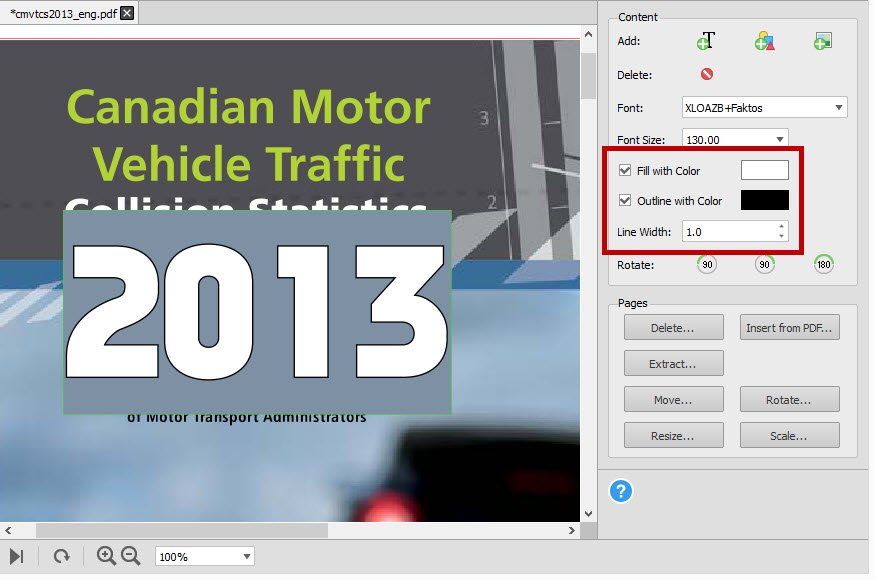
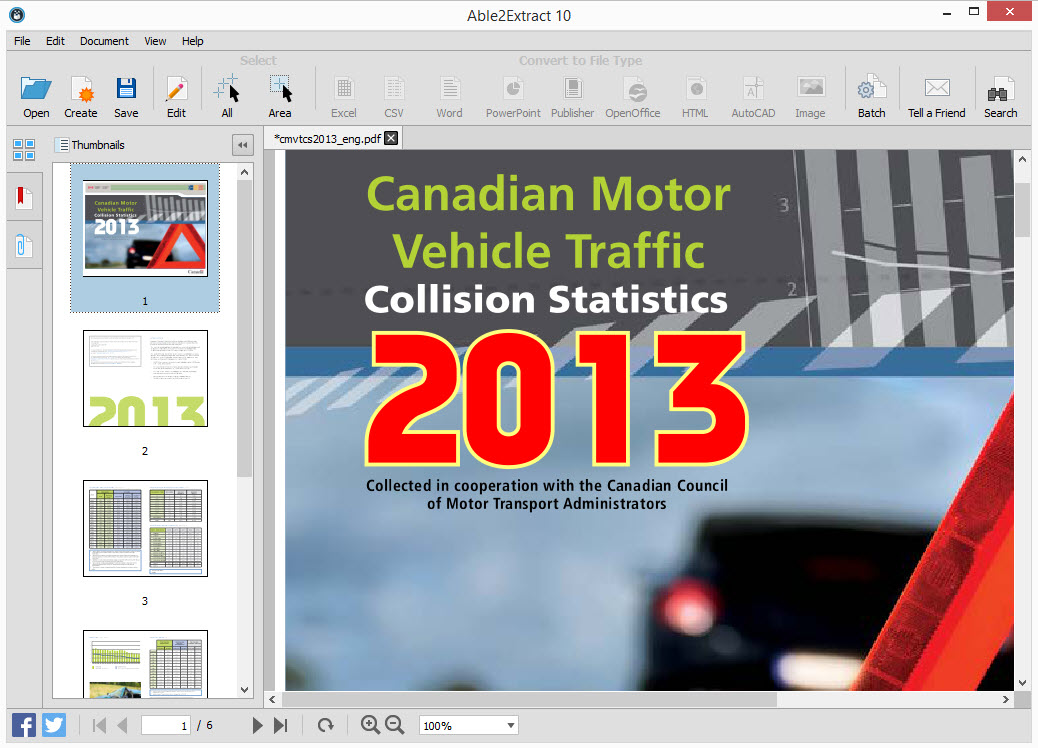
Able2Extract 10.2 comes with Outline with Color, Fill with Color and Line Width options, giving you the ability to modify the appearance of your text or vector shapes in detail. By selecting a custom outline color, a fill color, and increasing the line width, you can give your content a visual boost with a few clicks.
Before:
After:
Rotate Content Objects
Another editing option only available from Able2Extract 10.2 is the ability to rotate vector shapes, bitmap images and text. You can orient these content objects 90 degrees to the left or right, and even rotate them a complete 180 degrees as needed.
Convert AutoCAD Raster to Vector
And we didn’t stop at content editing. Able2Extract Professional 10.2 comes with a new Raster-to-Vector conversion engine for AutoCAD that allows you to convert scanned AutoCAD PDFs to vector drawings that can be edited.
Start taking advantage of Able2Extract 10.2. Existing members can simply log into their SAP account to access the build. And if you aren’t signed up yet, now’s the time.
Subscribe To Software Advantage Program
You can subscribe to the Software Advantage Plan online. The Software Advantage Program comes with premium support features that cover both Able2Extract Standard and Able2Extract Professional. For only $39.95 a year, you get:
Priority support via phone and email
Access to a personalized web portal
Free Access to all minor products updates and major upgrades
Exclusive access to new, unreleased product builds
Special volume discounts
Once we receive your order, you’re all set. You can start using your Software Advantage account immediately.
As a regular customer, you won’t be able to access any of these features until our next release. So join the program now and get in on Able2Extract 10.2!