Introducing The First Universal PDF Converter On The Market: Able2Extract 8

We are excited to announce the release of Able2Extract  8! This latest version is a landmark release in the PDF industry today.   In a first for Windows, Mac and Linux, Able2Extract 8 is the first cross platform PDF converter that is compatible on all three major operating systems.
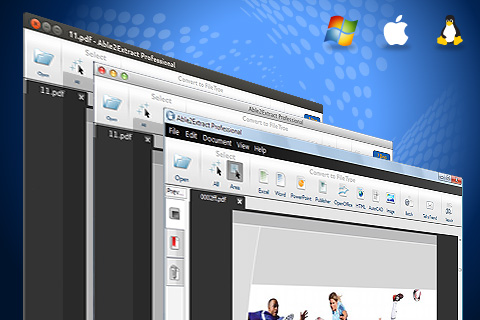
Cross Platform Compatibility

Our developers have worked hard the past year to ensure that every user, regardless of platform or hardware, can enjoy the same quick, accurate conversions that, up until now, only Windows users have been able to enjoy.

And it’s paid off.

Not only can Able2Extract 8 operate on different platforms, it can run even better than ever with a few new features and some powerful tweaks.

Cross Platform Compatibility with Mac and Linux for the First Time

Thus far, Able2Extract has been available exclusively on the Windows platform. Not anymore.  Able2Extract PDF Converter 8 is now available on the Mac OS X platform.  Mac users on the latest Mountain Lion operating system can take full advantage of the same conversion options and features that are offered in the Windows version.
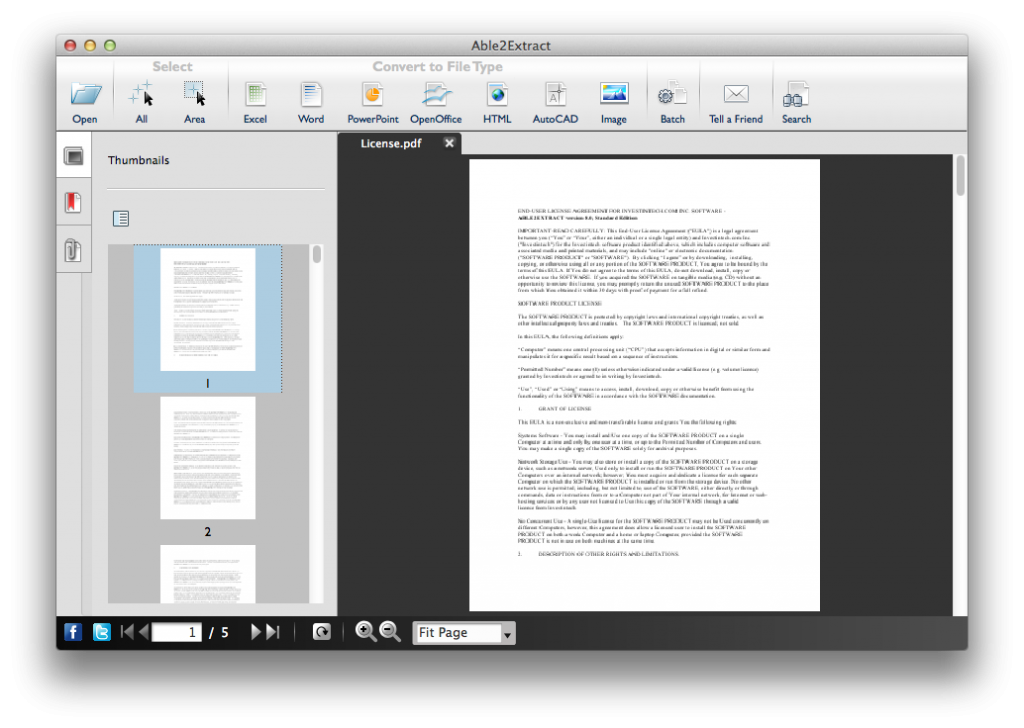
Able2Extract 8 Mac version

And this goes for the Linux platform as well. Users on the Ubuntu and Redhat distributions can finally convert files without any command line tools or complicated scripts. Conversions are now straightforward and simpler through a graphical user interface.
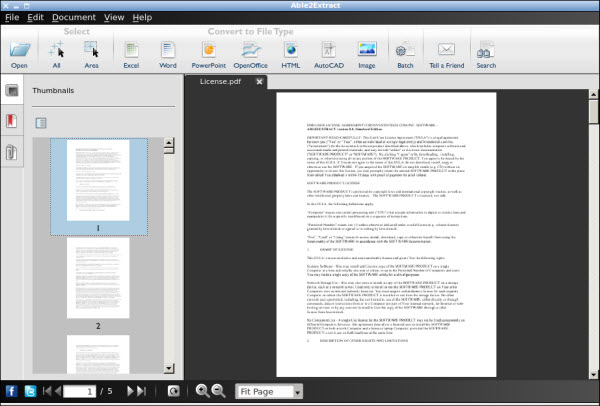
Able2Extract Linux Version

Intuitive PDF to Excel Custom Conversion Interface

Following this same straightforward simplicity is our newly redesigned PDF to Excel custom conversion interface.  You can now customize your rows, columns, tables and footers in a more direct way with single click customization options.
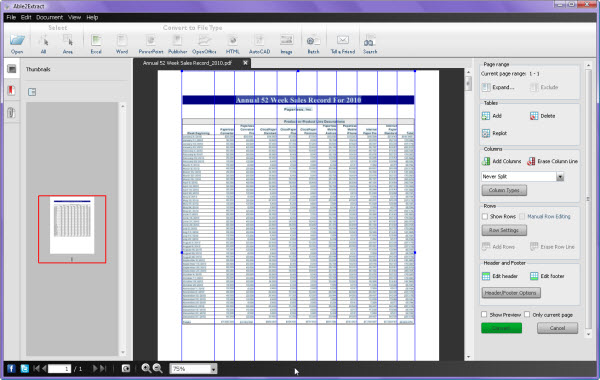
PDF To Excel

Also new to our PDF to Excel custom conversion is the Show Preview option. It allows you to see your conversion results before you hit the Convert button.
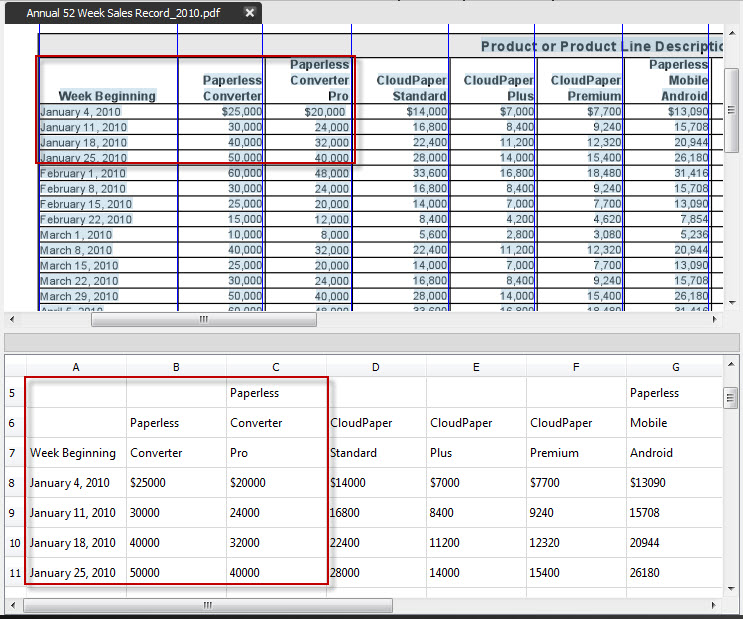
Able2Extract Show Preview Feature

 Give the new features a try on your most complicated PDF tables!

New Easy PDF Navigation & Viewing Features

Once you open a PDF in Able2Extract 8, you’ll also notice a Preview Pane on the left hand side. This new side bar gives you better navigational control and a quick overview of your PDF’s pages, bookmarks and attachments. Multiple PDFs are now visually within reach and easy to work with.
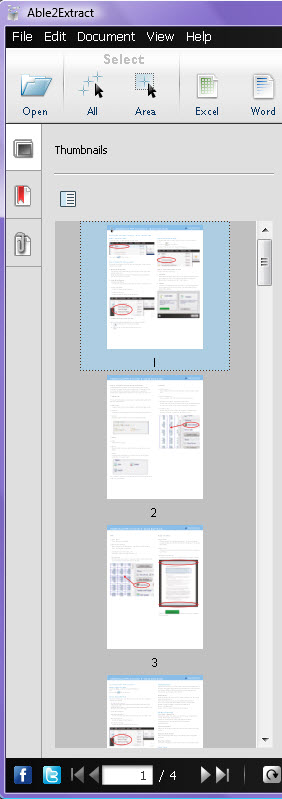
Able2Extract Navigation sidebar

Improved OCR Technology

Even the OCR engine in our Professional version has been improved.  Scanned PDFs are usually poor in quality with broken, grainy text. Able2Extract Professional’s OCR technology was tweaked to generate image-based conversions more accurately and smoothly. Trust us.  You’ll feel the difference.  
Able2Extract Professional 8


To test these features out for yourself,  download an Able2Extract 8 free  trial from the download page.   Once you’re on the page, just select your platform and click on the download button.
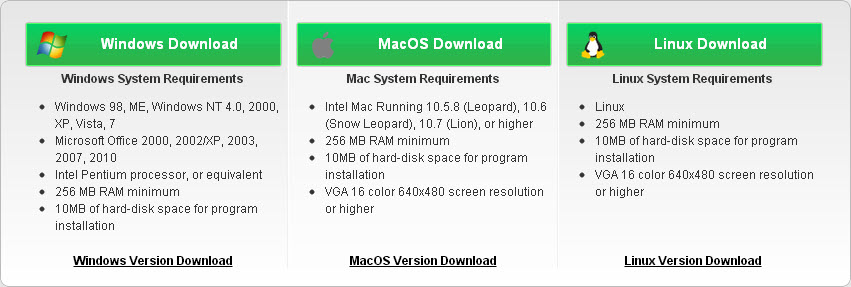
Download Able2Extract 8

Don’t forget to let us know what you think of this latest version!
The New Able2Extract 7 Is Here!

Now, it isn’t often that PDF conversion gets associated with simplicity. PDF converters are often too complex that only PDF experts can make full use of the software, leaving you stuck with using only the basic features for complex documents.

But, today we’re proud to announce the release of the latest version of our flagship product which eliminates that issue:Able2Extract 7.

In this new version, we’ve got enhanced conversion performance, a newly designed interface, and new and improved conversion capabilities.So whether you have a complex PDF to convert or a presentation due in the next hour, Able2Extract 7 can simplify and improve that conversion process.

This latest version of Able2Extract is the greatest improvement in our PDF conversion products to date.What’s new? What can it do? Read on.

First off, for those who have already used previous versions of Able2Extract, you’ll notice a newly designed user interface. The simple clean design makes it easier to navigate, search and convert your document.Open a file, select your data, and click to convert– all can be done from the toolbar.

Able2Extract Interface

One major feature of Able2Extract7 is that it’s the first PDF converter which can convert to all major Microsoft Office formats: Word, Excel, PowerPoint and Publisher.

Able2Extract Formats

Here’s a sneak peek at the new conversion improvements.

PDF to PowerPoint conversions are faster and more accurate. For those who need a better PDF to PowerPoint output, this conversion feature has been rebuilt with custom options that offer better control over your content.

Improved Excel custom conversion options. As great as the custom Excel conversion options were in the previous version, Able2Extract 7 gives you even more control over the row and column structure of table data being converted.You can tweak your conversion right from the Excel conversion toolbar.

Able2Extract XLS Toolbar

Enhanced PDF to Word graphics and text manipulation features. We all know that as easy as a PDF to Word conversion may sound, it isn’t always the case. Thus, this latest version offers better conversion output and more precise graphics and text handling features.

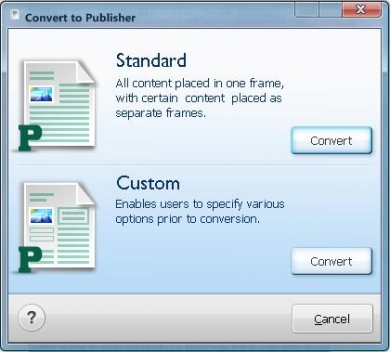
New PDF to Publisher conversion. You’ve asked for it and here it is. Anyone needing a professional and cost effective publishing solution can now use Able2Extract 7 for PDF to Publisher conversions!

Able2Extract Publisher Conversion

And just as you can custom convert with Word, PowerPoint and Excel, you can also choose to custom convert with Publisher.

Performance wise, Able2Extract 7 can a lot more in a lot less space than most converters.In addition to all the conversion improvements, Able2Extract 7 can now support non-unicode font types.

This means users can convert PDF files in their native language: Chinese, Japanese, Korean, Arab and Greek. And despite these new features, the overall size of Able2Extract 7 has been reduced!

So check it out. The software is compatible with Windows 7 and Microsoft Office 2007. You can download Able2Extract 7 as a 7-day free trial to test out for yourself.

The Ultimate Excel Cheatsheet At Your Fingertips

Excel has got to be one of the most complex software applications on the market.From keyboard shortcuts to functions and code snippets, the right Excel tricks are difficult to master, let alone find.

If you’ve ever had troubles getting around Excel or finding that perfect calculation tip, check out our latest article, The Ultimate Excel Cheatsheet.

It’s exactly what it says it is. You’ll find a number of printable PDF cheatsheets and links that reference keyboard shortcuts, functions, command line switches, formulas and VBA code snippets.

Just simply print, save or click and you’ll be able to perform some of the most complex Excel functions around.

Enjoy!